Main Menu
Choosing the best Auto Cell Phone Holder is not about picking the most expensive model. It is about finding a secure, practical match for your vehicle, phone, and daily driving habits. A holder that works perfectly on a smooth dashboard may wobble on a textured surface. A strong vent clip may also block airflow or weaken under a heavy phone.
Real-world testing matters. Check how firmly the mount grips while the vehicle is parked, then inspect its stability after careful driving on uneven roads. Look for adjustable arms, a reliable locking mechanism, and padding that protects the phone’s edges. The viewing angle should support clear navigation without blocking your sightline or important controls. Small details matter.
Fit matters most.
Experienced drivers should also consider installation and removal. Some mounts require two hands, while others allow quick release with one finger. Wireless charging can be convenient, but charging speed, heat management, and phone-case compatibility deserve attention. A thick case may prevent proper contact. That detail is easy to miss.
There is no universal winner. My own preference has changed after using different vent, dashboard, and windshield designs. Some holders looked strong but loosened over time. Others felt less impressive yet stayed steady through daily use. This guide compares important features, materials, mounting methods, and practical limitations. It aims to help readers make a safer, more informed choice instead of trusting attractive product photos alone.
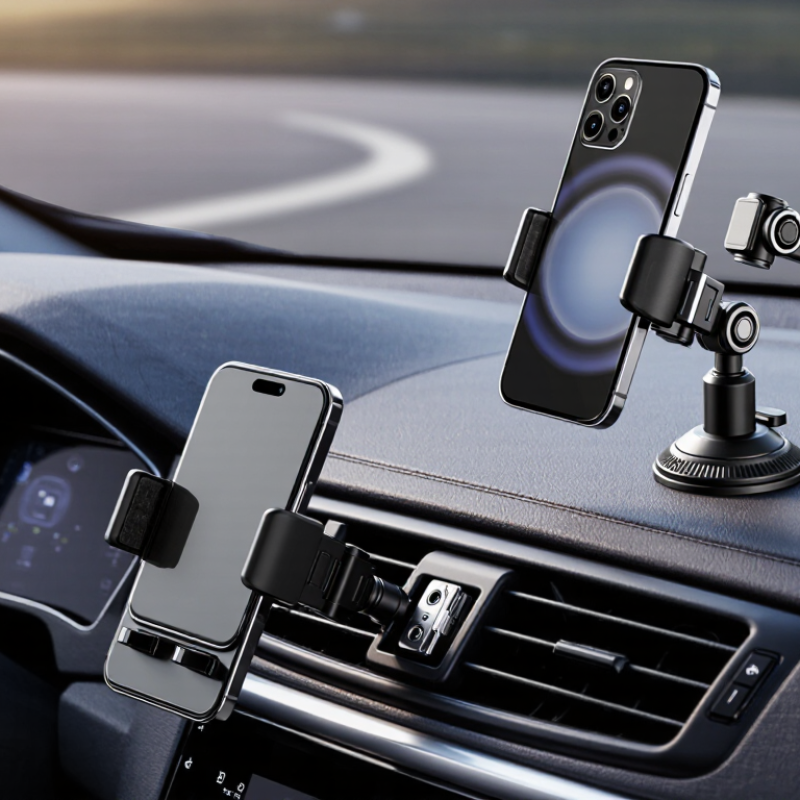
How to Choose the Best Auto Cell Phone Holder?
Define Your Driving Needs and Phone Compatibility
Your driving routine should guide the holder you choose. A short commute may need only a simple, stable mount. Frequent highway driving demands stronger support and easier viewing.
Think about where you naturally glance. A dashboard mount can keep the screen near eye level. A vent mount saves space but may block airflow. A windshield mount offers flexibility, though it can reduce visibility when positioned carelessly.
Check your phone and case together. Measure their combined width and thickness. Some holders fit the phone but reject a rugged case. Others grip securely until a loose button or raised camera edge causes trouble. Small details matter.
I once used a holder that fit perfectly at home. On rough roads, it slowly tilted downward. The clamp was strong, but the joint was weak. That experience changed how I test holders. I now check the locking mechanism, adjustment range, and release button before judging appearance.
Your phone should remain stable during turns and sudden braking. The holder should also allow one-handed placement without forcing your eyes away from traffic. Avoid models that require excessive adjustment while driving. A secure fit is useful. A clear view matters more.
Compatibility is not only about size. Check the vent shape, dashboard texture, and available space. Some surfaces feel firm but cannot support constant pressure. Test the position while seated, before accepting the setup. Perfect choices are rare. Practical ones work better.
| Driving Need | Recommended Holder Type | Typical Mount Location | Recommended Phone Width | Case Compatibility | Key Selection Criteria |
|---|---|---|---|---|---|
| Frequent navigation in city traffic | Air-vent or dashboard holder with adjustable viewing angle | Air vent or dashboard | Approximately 55–88 mm | Usually supports cases up to 8–12 mm thick | One-hand operation, stable grip, unobstructed view, and easy access to charging ports |
| Long-distance highway driving | Dashboard or windshield holder with a rigid support arm | Dashboard or windshield | Approximately 60–95 mm | Look for adjustable side arms and clearance for thicker protective cases | Low vibration, strong suction or adhesive base, and a short, sturdy arm |
| Use on rough or uneven roads | Locking clamp holder with a reinforced mounting base | Dashboard, windshield, or dedicated vehicle mount point | Approximately 58–90 mm | Best with cases that do not have loose or flexible edges | Mechanical locking mechanism, anti-slip pads, and minimal extension from the base |
| Using a large phone or foldable phone | Wide-jaw adjustable holder | Dashboard, air vent, or windshield | Approximately 65–105 mm | Check both the folded and unfolded phone dimensions | Wide adjustment range, deep padded grips, and sufficient weight capacity |
| Wireless charging while driving | Powered charging holder with automatic or manual clamping | Air vent, dashboard, or windshield | Approximately 60–90 mm | Thin cases may work; thick, metal, magnetic, or card-holding cases can interfere | Coil alignment, USB power input, heat management, and charging compatibility |
| Portrait and landscape navigation | 360-degree rotating cradle | Dashboard, windshield, or air vent | Approximately 55–95 mm | Confirm that the case edges do not block the rotating joints | Firm rotation joint, quick orientation change, and a clear view of the display |
| Minimal obstruction of the windshield | Compact air-vent or CD-slot holder | Air vent or vehicle media slot | Approximately 55–88 mm | Most standard cases fit if the holder has adjustable arms | Compact footprint, secure mounting, and compatibility with the vehicle's vent or slot design |
| Vehicles with weak or unusual air vents | Adhesive dashboard holder or cup-holder mount | Dashboard or cup holder | Approximately 60–100 mm | Select a cradle depth that accommodates the phone and case together | Surface suitability, base stability, temperature tolerance, and adjustability |
How to Choose the Best Auto Cell Phone Holder?
Compare Mounting Locations and Installation Methods
The best mounting location keeps the screen visible without blocking your road view. A dashboard mount usually offers a steady angle and easy reach. However, textured dashboards may weaken the adhesive over time. Clean the surface, warm the pad slightly, and press firmly before driving.
A windshield mount gives flexible positioning, especially in larger vehicles. It may leave suction marks and can become loose during extreme temperature changes. Air vent holders sit close to the driver and need little installation. Their weight can stress fragile vents, though. Check the vent blades before attaching one.
A cup-holder mount is often stable and leaves the glass clear. Its lower position may force you to look down more than expected. That small movement matters in busy traffic. Choose a model with a locking base and a short, adjustable arm. Cable routing also deserves attention. Loose wires can catch on controls or distract your hand.
For installation, test the holder while parked. Adjust the viewing angle from your normal driving position. The phone should remain secure over speed bumps and sharp turns. I once chose a convenient vent position that blocked airflow and slowly loosened the vent. It worked, but not well. Recheck the mount after several trips, because a perfect installation can still change with heat, vibration, and repeated adjustment.
Compare common mounting locations and installation methods by stability, visibility preservation, and installation simplicity. Ratings use a practical 1–5 scale, where 5 is the most favorable result.
Dashboard and cup-holder mounts generally provide strong support, while air-vent mounts are simple to install but may be less stable with heavier phones. Windshield mounts can offer direct viewing but may reduce the driver’s field of vision.
A reliable auto cell phone holder should grip firmly without crushing the device. During real driving, roads create vibration, sudden braking, and sharp turns. I prefer holders with padded clamps and a stable mounting base. They should hold a phone securely, even when the case adds extra thickness. However, no holder is perfect. A very tight grip may damage delicate buttons or make removal frustrating.
Adjustability matters during daily use. Look for a holder that rotates smoothly and supports both portrait and landscape viewing. The arm should move far enough to reduce glare without blocking essential controls or sightlines. Test the adjustment mechanism before buying. Some joints feel strong at first but loosen after repeated movement. A compact design is useful, yet overly short arms may force an uncomfortable viewing angle.
Tips: Check the clamp with your phone inside its case. Shake the holder gently before driving. Confirm that charging cables remain accessible. Avoid placing the device where it blocks your view. Protection also includes heat management. Direct sunlight can warm a phone quickly, especially behind a windshield. A holder with open sides may improve airflow, although it cannot replace sensible parking habits. Some details are easy to overlook. That is where many buying decisions go wrong.
A reliable holder must keep the screen visible without competing with the road. Choose a mount with adjustable viewing angles and a firm locking mechanism. The phone should remain stable over speed bumps and sharp turns. Check the charging output, connector quality, and heat control. Wireless charging should match your phone’s supported standard. Wired charging may be more dependable during long navigation sessions. Look for recognized electrical safety certification, especially when charging overnight or inside a hot vehicle.
Visibility matters more than appearance. Place the holder low enough to preserve your forward view, but high enough for quick glances. The AAA Foundation’s 2017 infotainment study found that some in-vehicle tasks created up to 40 seconds of visual distraction. That is longer than most drivers expect. NHTSA’s Traffic Safety Facts 2022 recorded 3,308 deaths in distraction-affected crashes. A bright screen, loose cable, or complicated adjustment can increase that risk. Keep notifications limited and navigation instructions simple.
Try the holder with one hand. It should release smoothly without loosening the base. Check whether the charging coil aligns after every turn. A practical mistake is choosing maximum charging speed while ignoring heat buildup. Excessive heat can reduce charging efficiency and annoy the driver. I would also test the holder at night, because glare can make a well-positioned screen surprisingly distracting. Recheck the mount after several drives, since vibration can slowly weaken its grip.
A low price does not always mean poor quality, but weak materials can create trouble quickly. I once used a holder with a thin plastic arm. It cracked after several hot afternoons in the car. That experience changed how I judge value. Look for reinforced joints, firm clamps, and heat-resistant materials. These details matter more than a glossy finish.
Check how the holder attaches before paying. A dashboard mount needs a stable base and a strong adhesive pad. A vent mount should grip securely without bending the vent slats. Test the adjustment mechanism in a store when possible. It should move smoothly, then lock without wobbling. A holder that fits many phone sizes may seem convenient, yet loose side arms can reduce stability.
Set a realistic budget.
Durability also depends on daily use. If you drive on rough roads, choose a wider support cradle and rubber contact points. These features reduce vibration and protect the phone case. Read independent customer feedback, especially comments about broken hinges and fading suction cups. Manufacturer specifications are useful, but real usage reveals weaknesses. Warranty coverage can add confidence, although it should not excuse careless construction. I still think a moderately priced holder is often sensible. However, my own preference for metal parts may not suit every driver, since they can add weight and cost. Check visibility carefully, too. The holder must not block essential road views or interfere with safe control of the vehicle.
Office: (281) 855-2218
Copyright © 2025 Telco Intercontinental Corp. All rights reserved. Privacy Policy | Legal Disclaimer
Telco®, TelcoMotion®, and TelcoGreen® are registered trademarks of Telco Intercontinental Corp.